> ## Documentation Index
> Fetch the complete documentation index at: https://docs.xvz.wtf/llms.txt
> Use this file to discover all available pages before exploring further.
# Timer
# setup timer
> Add a timer to a channel with a message can always use our [embed builder](https://xvz.wtf/embed-builder) to create embed for timers
```text Synax theme={null}
;timer add [channel] [interval] [message]
```
```python example theme={null}
;timer add #chat 1h hello @everyone
```
> Remove a timer from a channel
```text Synax theme={null}
;timer remove [channel]
```
```python example theme={null}
;timer remove #chat
```
> View a timer message
```text Synax theme={null}
;timer view [channel]
```
```python example theme={null}
;timer view #chat
```
> View all timers in a guild
```text Synax theme={null}
;timer list
```
```python example theme={null}
;timer list
```
requires manage\_guild permission(s)
# How to use embed builder for timer?
> Go to our [embed builder](https://xvz.wtf/embed-builder) website and make a custom embed you like and copy code
> Then use ;timer add #channel 1h \[message] ← paste the code where the message should be
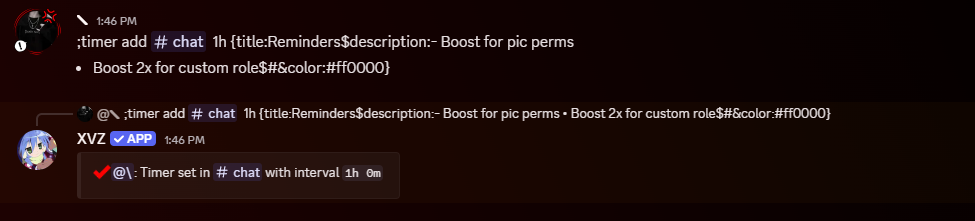 You need atleast 60s/1m interval