> ## Documentation Index
> Fetch the complete documentation index at: https://docs.xvz.wtf/llms.txt
> Use this file to discover all available pages before exploring further.
# Music
> Listen to music inside voice channels
You can provide song name or url
# Play a song
```text Syntax theme={null}
;play
```
```python example theme={null}
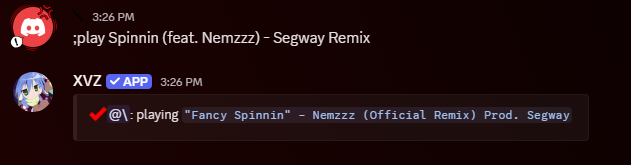
;play Spinnin (feat. Nemzzz) - Segway Remix
```
 # Play forward
> Add song to the front of the queue
```text Syntax theme={null}
;play forward
```
```python example theme={null}
;play forward idfc - slowed
```
# Skip to next track
> Skip to next track in queue
```text Syntax theme={null}
;skip
```
```python example theme={null}
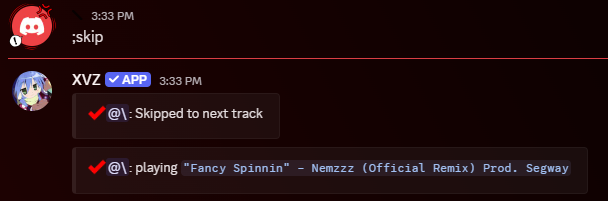
;skip
```
# Play forward
> Add song to the front of the queue
```text Syntax theme={null}
;play forward
```
```python example theme={null}
;play forward idfc - slowed
```
# Skip to next track
> Skip to next track in queue
```text Syntax theme={null}
;skip
```
```python example theme={null}
;skip
```
 # Volume control
> Set audio volume (1-200)
```text Syntax theme={null}
;volume <1-200>
```
```python example theme={null}
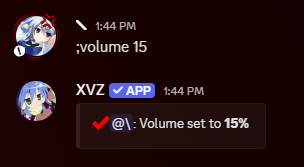
;volume 45
```
# Volume control
> Set audio volume (1-200)
```text Syntax theme={null}
;volume <1-200>
```
```python example theme={null}
;volume 45
```
 # Loop
> Enable or disable loop mode for current track
```text Syntax theme={null}
;loop [--true/--false]
```
```python example theme={null}
;loop --true
;loop --false
```
# Queue Guide
## View queue
> Show all tracks in queue with pagination
```text Syntax theme={null}
;queue list
```
```python example theme={null}
;queue list
```
> Empty all tracks from queue
```text Syntax theme={null}
;queue empty
```
```python example theme={null}
;queue empty
```
> Remove a specific track from queue by position
```text Syntax theme={null}
;queue remove
```
```python example theme={null}
;queue remove 1
;queue remove 5
```
> Move a track from one position to another
```text Syntax theme={null}
;queue move
```
```python example theme={null}
;queue move 5 1
;queue move 3 10
```
> Shuffle all tracks in the queue (must have atleast 2 tracks)
```text Syntax theme={null}
;queue shuffle
```
```python example theme={null}
;queue shuffle
```
> Disconnect bot from voice channel
```text Syntax theme={null}
;disconnect
```
```python example theme={null}
;disconnect
```
> Pause track
```text Syntax theme={null}
;pause
```
```python example theme={null}
;pause
```
> Resume the track
```text Syntax theme={null}
;resume
```
```python example theme={null}
;resume
```
If song doesnt play simply rerun the command (this for the
# Loop
> Enable or disable loop mode for current track
```text Syntax theme={null}
;loop [--true/--false]
```
```python example theme={null}
;loop --true
;loop --false
```
# Queue Guide
## View queue
> Show all tracks in queue with pagination
```text Syntax theme={null}
;queue list
```
```python example theme={null}
;queue list
```
> Empty all tracks from queue
```text Syntax theme={null}
;queue empty
```
```python example theme={null}
;queue empty
```
> Remove a specific track from queue by position
```text Syntax theme={null}
;queue remove
```
```python example theme={null}
;queue remove 1
;queue remove 5
```
> Move a track from one position to another
```text Syntax theme={null}
;queue move
```
```python example theme={null}
;queue move 5 1
;queue move 3 10
```
> Shuffle all tracks in the queue (must have atleast 2 tracks)
```text Syntax theme={null}
;queue shuffle
```
```python example theme={null}
;queue shuffle
```
> Disconnect bot from voice channel
```text Syntax theme={null}
;disconnect
```
```python example theme={null}
;disconnect
```
> Pause track
```text Syntax theme={null}
;pause
```
```python example theme={null}
;pause
```
> Resume the track
```text Syntax theme={null}
;resume
```
```python example theme={null}
;resume
```
If song doesnt play simply rerun the command (this for the ;play command)
# Sources
* SoundCloud
* spotify
More Sources will be added